Drive Smart with Hyundai Blue Link Your Ultimate Guide to Connected Car Technology
Introduction to Connected Car Technology
Imagine driving a car that knows when you’re low on gas, locks itself when you forget, and even helps you find your way around town. Welcome to the world of connected car technology. This modern marvel combines advanced software, powerful sensors, and real-time data to make your driving experience more comfortable, safer, and incredibly efficient.
Connected car technology isn’t just a futuristic concept; it’s here and now. From enhancing navigation to providing real-time traffic updates, this innovation is transforming how we interact with our vehicles. If you’re a car enthusiast, tech-savvy consumer, or proud Hyundai owner, this comprehensive guide is for you.
In this blog post, we’ll explore Hyundai Blue Link, a cutting-edge connected car technology that promises to elevate your driving experience. Stick around to learn about its features, benefits, and how this technology can make your daily commute a breeze.
What is Hyundai Blue Link? Learn The Features and Benefits
Hyundai Blue Link is a suite of connected services designed to provide convenience, safety, and peace of mind. But what exactly does it offer? Let’s break down the core features and benefits.
Safety First
One of the primary advantages of Blue Link is its focus on safety. It offers Automatic Collision Notification, which immediately sends your location and vehicle status to emergency services in case of an accident. There’s also Enhanced Roadside Assistance to ensure you’re never stranded, no matter where you are.
Remote Control
Ever wished you could start your car from your living room? With Blue Link’s Remote Start feature, you can. You can also lock or unlock doors, flash the lights, and even honk the horn—all from your smartphone. It’s like having a remote control for your car.
Guidance and Navigation
Say goodbye to getting lost. Blue Link provides turn-by-turn navigation, real-time traffic updates, and even points of interest along your route. Whether you’re exploring new places or navigating your daily commute, Blue Link has got you covered.
A Deeper Dive into Blue Link’s Safety, Remote, and Guidance Services
Now that we’ve touched on the basics, let’s take a closer look at the specific services offered by Hyundai Blue Link.
Advanced Safety Features
Safety is paramount when it comes to driving, and Blue Link excels in this area. The Automatic Collision Notification not only alerts emergency services but also sends crucial information like your exact location and the severity of the crash. This feature alone can be a lifesaver.
Another noteworthy feature is Stolen Vehicle Recovery. If your car is stolen, Blue Link can help law enforcement locate and recover it quickly. The system can even immobilize the vehicle to prevent further movement.
Remote Convenience
Remote features are all about making your life easier. With Remote Start, you can warm up your car on a cold morning or cool it down on a hot day before you even step outside. The Remote Door Lock/Unlock feature ensures you never worry about forgetting to lock your car.
Blue Link’s Remote Horn and Lights can also be a lifesaver in crowded parking lots. Can’t find your car? Use this feature to make it honk and flash, guiding you straight to it.
Comprehensive Guidance
Navigation is where Blue Link truly shines. The system offers voice-guided driving directions, ensuring you keep your eyes on the road and hands on the wheel. Real-time traffic updates help you avoid congestion, saving you time and stress.
Are you looking for a nearby gas station or a good restaurant? Blue Link’s Points of Interest (POI) search provides suggestions based on your location. This feature makes exploring new areas both fun and hassle-free.
How to Use Blue Link User Experience and Interface
You might be wondering how to get started with all these amazing features. Don’t worry; Hyundai has made Blue Link incredibly user-friendly.
Getting Started
First, you’ll need to download the Blue Link app, available for both iOS and Android devices. Once installed, create an account and link it to your Hyundai vehicle. The setup process is straightforward and guided, ensuring you can get up and running quickly.
Navigating the Interface
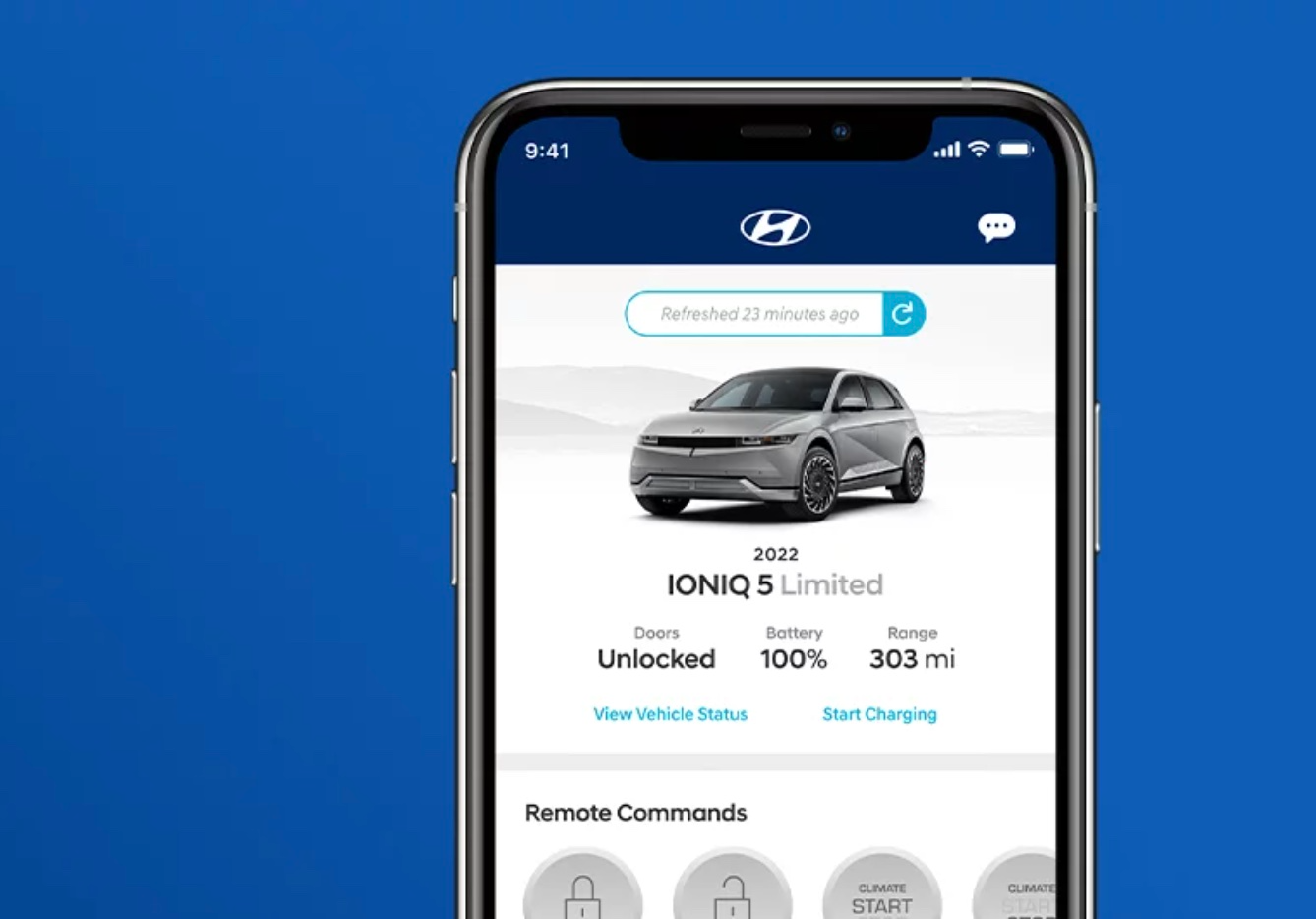
The Blue Link app features a clean, intuitive interface. The home screen provides quick access to essential functions like remote start, lock/unlock, and vehicle status. Each feature is represented by easy-to-understand icons, making navigation a breeze.
Customizing Your Experience
Blue Link allows for a high degree of customization. You can set up notifications for various events, such as when your vehicle needs maintenance or if a door is left unlocked. The system also lets you customize your navigation preferences, including avoiding toll roads or highways.
The Future of Connected Cars and Hyundai’s Role
Connected car technology is evolving rapidly, and Hyundai is at the forefront of this revolution. But what does the future hold for connected cars and Hyundai Blue Link?
Integration with Smart Homes
Imagine your car communicating seamlessly with your smart home. Hyundai is working on integrating Blue Link with popular smart home ecosystems like Google Home and Amazon Alexa. This means you could start your car, check fuel levels, and even receive maintenance alerts through your home assistant.
Enhanced AI Capabilities
Artificial intelligence is set to play a significant role in the future of connected cars. Hyundai is investing in AI to make Blue Link even smarter. Future updates may include predictive maintenance, where the system can detect potential issues before they become problems, and personalized driving experiences based on your habits and preferences.
Sustainability Efforts
Hyundai is also focusing on sustainability. Future iterations of Blue Link may include features that help you drive more efficiently, reducing your carbon footprint. This could involve real-time feedback on your driving habits and suggestions for more eco-friendly routes.
Real-Life Benefits
You might be wondering how all these features translate into real-life benefits. Here are some scenarios where Blue Link can make a difference.
Scenario 1 Averting Potential Hazards
Imagine you’re driving home late at night and hit a patch of ice. Your car skids and you’re involved in a minor collision. Thanks to Blue Link’s Automatic Collision Notification, emergency services are alerted immediately, ensuring help is on the way even if you’re unable to call for it yourself.
Scenario 2 Convenience at Your Fingertips
You’re getting ready for work on a freezing winter morning. Instead of braving the cold, you use Blue Link’s Remote Start feature to warm up your car while you finish your coffee. By the time you step outside, your car is toasty and ready to go.
Scenario 3 Effortless Navigation
You’re on a road trip in an unfamiliar area and need to find a place to eat. Blue Link’s Points of Interest search suggests a highly-rated local restaurant just a few miles away. You use the turn-by-turn navigation to get there effortlessly, adding a delightful stop to your trip.
Conclusion The Value of Hyundai Blue Link in Enhancing Your Drive
In today’s fast-paced world, convenience and safety are more important than ever. Hyundai Blue Link offers a perfect blend of both, making it an invaluable addition to your driving experience. From advanced safety features to remote conveniences and comprehensive navigation, Blue Link has something for everyone.
If you’re a car enthusiast, a tech-savvy consumer, or a Hyundai owner, integrating Blue Link into your daily routine can elevate your driving experience to new heights. The future of connected car technology is bright, and Hyundai is leading the charge.
Ready to experience the benefits of Hyundai Blue Link for yourself? Sign up today and take the first step towards a smarter, safer, and more convenient driving experience.


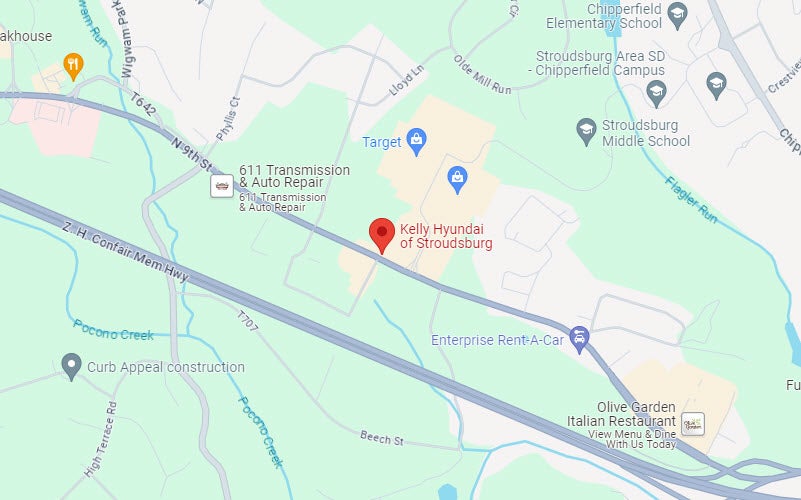
Kelly Hyundai of Stroudsburg

Address
1534 North 9th Street
Stroudsburg, PA 18360
Phone
- Sales 570-776-9161
- Parts 570-776-9146
- Service 570-776-9311
| Monday | 9:00AM - 8:00PM |
| Tuesday | 9:00AM - 8:00PM |
| Wednesday | 9:00AM - 8:00PM |
| Thursday | 9:00AM - 8:00PM |
| Friday | 8:00AM - 7:00PM |
| Saturday | 9:00AM - 6:00PM |
| Sunday | Closed |
| Monday | 7:00AM - 6:00PM |
| Tuesday | 7:00AM - 6:00PM |
| Wednesday | 7:00AM - 6:00PM |
| Thursday | 7:00AM - 6:00PM |
| Friday | 7:00AM - 6:00PM |
| Saturday | 7:00AM - 5:00PM |
| Sunday | Closed |
| Monday | 7:00AM - 6:00PM |
| Tuesday | 7:00AM - 6:00PM |
| Wednesday | 7:00AM - 6:00PM |
| Thursday | 7:00AM - 6:00PM |
| Friday | 7:00AM - 6:00PM |
| Saturday | 7:00AM - 5:00PM |
| Sunday | Closed |